
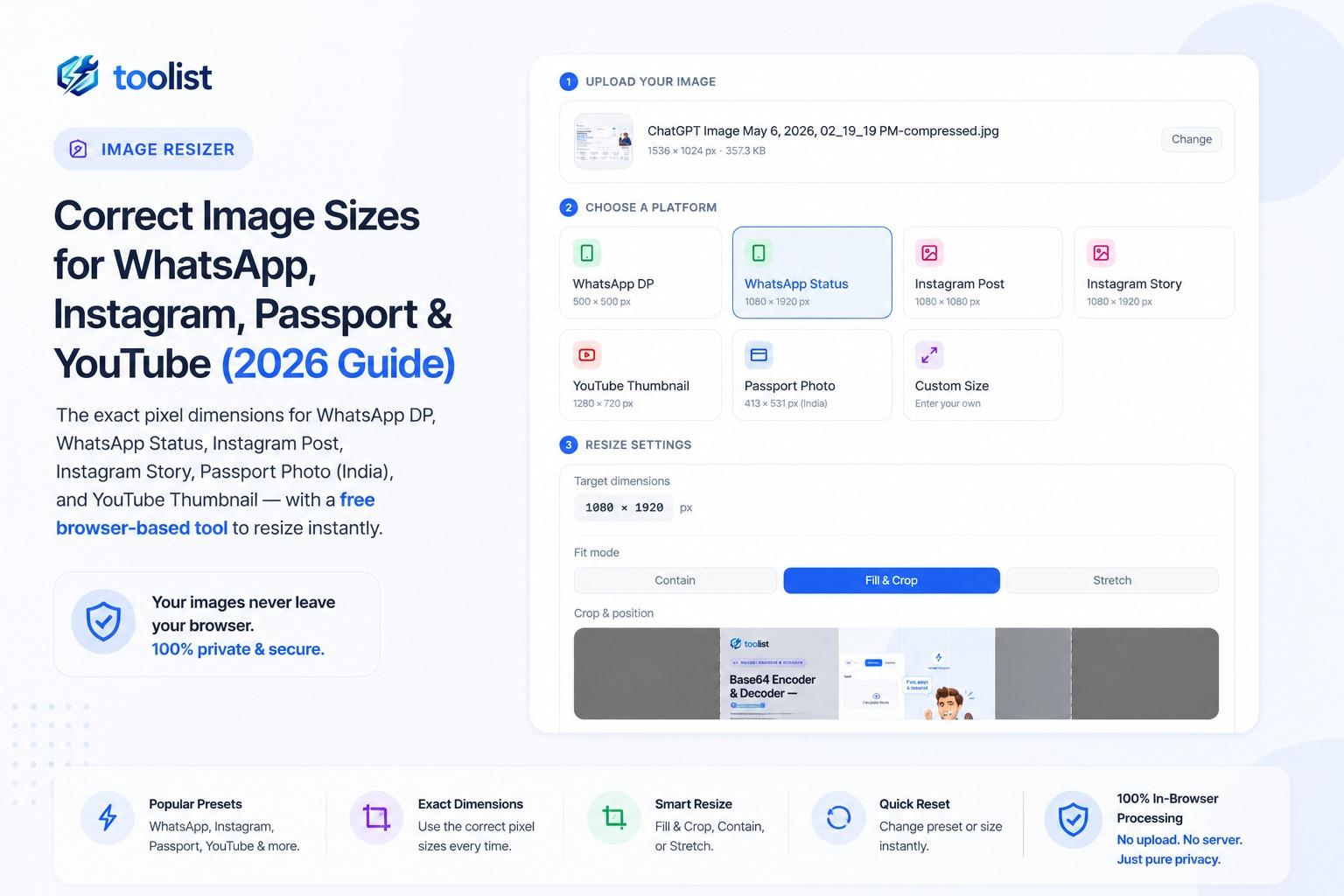
Uploading an image in the wrong size causes blurry previews on WhatsApp, awkward crops on Instagram, and outright rejections on government portals. Getting the pixels right takes 30 seconds — if you know the exact numbers.
This guide gives you every dimension you need, plus a free in-browser tool to resize instantly without installing anything.
Quick Reference: Image Sizes at a Glance
| Platform | Dimensions | Format | Notes | |---|---|---|---| | WhatsApp DP | 500 × 500 px | JPEG | Displayed as circle | | WhatsApp Status | 1080 × 1920 px | JPEG | 9:16 vertical | | Instagram Post | 1080 × 1080 px | JPEG | Square grid | | Instagram Story | 1080 × 1920 px | JPEG/PNG | 9:16 vertical | | YouTube Thumbnail | 1280 × 720 px | JPEG | 16:9, max 2 MB | | Passport Photo (India) | 413 × 531 px | JPEG | 35×45 mm @ 300 DPI |
WhatsApp Image Sizes
WhatsApp DP (Profile Picture)
WhatsApp resizes profile photos to 500×500 pixels and crops them to a circle. What this means practically:
- Keep your face or subject centred — the circular crop removes the corners.
- Avoid putting important content in the corners; they will not be visible.
- Keep the file under 100 KB for fast loading on mobile connections.
- JPEG is the recommended format — smaller file, accepted by all phones.
Use the WhatsApp DP preset in the Image Resizer to resize any photo to 500×500 in one click, with white background padding if the original isn't square.
WhatsApp Status
WhatsApp Status images display at 1080×1920 pixels (9:16 vertical). Tips:
- WhatsApp overlays the contact name at the top and the progress bar at the bottom — avoid placing critical text in the top or bottom 10–15% of the frame.
- For landscape photos, use Fill & Crop mode to zoom and fill the vertical frame, or use Contain + Blur background for a cinematic effect where the blurred photo fills the bars.
- Photos under 5 MB upload reliably on most connections.
Instagram Image Sizes
Instagram Post (Square)
The safe, universal Instagram post size is 1080×1080 pixels (1:1 square). Instagram compresses images on upload, so starting at 1080px wide ensures your image stays sharp even after compression.
- Use JPEG at quality 85+ to preserve detail.
- PNG works better for graphics, illustrations, and images with text.
- Instagram also supports 1080×566 px (landscape) and 1080×1350 px (portrait) — both display well in the feed but show differently in the grid.
Instagram Story & Reel Cover
Instagram Stories and Reel cover images both use 1080×1920 pixels (9:16 vertical).
- Keep key content in the centre third of the frame — Instagram places the username, close button, and reaction icons near the edges.
- Use high contrast so text is readable over any background.
- Stickers and interactive elements are added after upload, so design with empty space in mind.
Note: Instagram Story dimensions match WhatsApp Status. You can design once and use the same file for both.
Passport Photo Size in India
India's passport photo standard is 35×45 mm at 300 DPI, which equals 413×531 pixels. This is the size required by:
- Passport Seva portal (passportindia.gov.in)
- NATA, NID, RBI, SEBI exam applications
- Most state e-District portals (community certificate, income certificate, etc.)
Background and photo rules:
- Plain white or light grey background — no patterns, no shadows.
- Face must be clearly visible from forehead to chin, occupying 70–80% of the frame.
- No hat, dark glasses, or headgear (except for religious reasons).
- The photo must be recent — taken within the last 6 months.
How to create a passport photo online:
- Open the Image Resizer and upload your portrait photo.
- Select the Passport Photo (India) preset — it auto-sets 413×531 px, white background, JPEG format.
- Switch to Fill & Crop mode and position your face in the upper-centre of the frame.
- Download. The file will typically be well under 1 MB, which is within the Passport Seva portal's limit.
Verify requirements before submitting. Passport and government portal requirements can change. Always check the current official brochure or portal instructions for the latest specifications before uploading.
YouTube Thumbnail Size
YouTube's recommended thumbnail size is 1280×720 pixels at a 16:9 aspect ratio.
- Maximum file size: 2 MB (YouTube's hard limit).
- Accepted formats: JPEG, PNG, GIF, WebP.
- JPEG at quality 80–85 keeps most thumbnails well under 2 MB while looking sharp.
What makes a good thumbnail:
- Bold, high-contrast text — readable at small preview sizes.
- A face with a clear emotion or expression significantly increases click-through rate.
- Avoid cluttering with too many elements — one strong visual idea works best.
- Use the YouTube Thumbnail preset in the Image Resizer to output exactly 1280×720 px JPEG.
How to Resize Images in Your Browser (Free, No Upload)
The Toolist Image Resizer resizes images directly in your browser — no app to install, no files uploaded to any server, and no sign-up required.
Steps:
- Go to Image Resizer and upload or drag-drop your image.
- Pick a platform preset — WhatsApp DP, Instagram Post, Passport Photo, YouTube Thumbnail, or Custom.
- Choose a fit mode: Contain (adds background padding), Fill & Crop (zooms to fill), or Stretch.
- Adjust quality and format, then click Download Image.
The tool shows a Before / After preview with the file size difference so you can see exactly what you're downloading before you save it.
Common Mistakes to Avoid
Uploading a small image and expecting a sharp result. Enlarging a small photo always reduces sharpness. Start with the highest-resolution original you have — your phone camera produces more than enough pixels for any of these sizes.
Using PNG for photos when JPEG is required. PNG is lossless and produces large files. Government portals and most social platforms work best with JPEG for photos.
Not checking the platform's safe zones. WhatsApp Status, Instagram Story, and YouTube thumbnails all have UI elements that overlay the image edges. Keep important content in the centre third.
Uploading the wrong aspect ratio. A landscape photo uploaded as a WhatsApp DP will be heavily cropped or show black bars. Always resize to the exact target dimensions first.